

Appearance
After save script
Designer › Settings › After save script
The after save script runs on the server, right after an item is saved. Use it for values that only exist after saving, most often the item ID, for example to build a reference number such as REQ-00042.
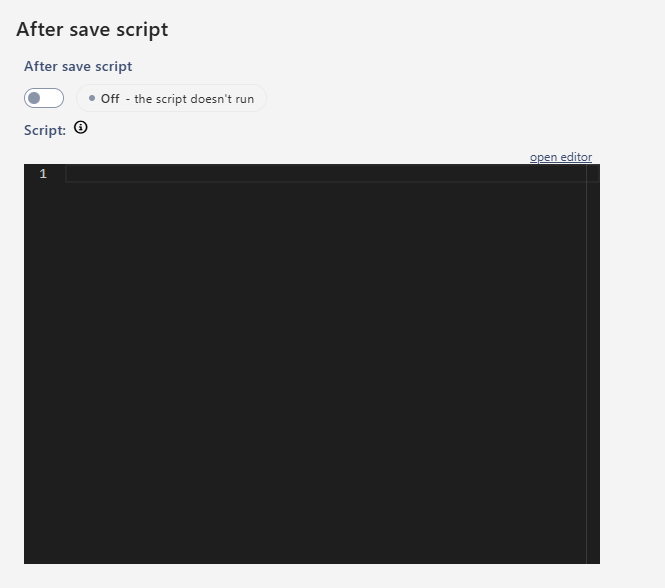
You find it in the designer: Settings → After save script. Turn on After save script and write your code in the Script box. It's off by default.
Available functions
The script is JavaScript, but it isn't the JavaScript API of Logic. Only these three functions are available:
| Function | What it does |
|---|---|
getValue(fieldName) | Reads a field of the saved item. What it returns depends on the field type, see the table below |
getDateTimeValue(fieldName, format) | Reads a date field as text in the time zone of the SharePoint site, for example getDateTimeValue("StartDate", "dd.MM.yyyy"). Returns "" when the date is empty |
setValue(fieldName, value) | Sets a field of the saved item. The value must match the field: text for text fields, a number for number fields, true/false for yes/no, a Date or ISO text for dates |
What getValue returns:
| Field type | Returns |
|---|---|
| Text, Choice | Text |
Number, also ID | A number |
| Yes/No | true or false |
| Date | A Date, or null when the date is empty |
| Multiple choice | A list of texts |
Use the fields' internal names. In the Script box, type @ to insert a field's internal name, or # to see the functions.
Format codes for getDateTimeValue: dd day, MM month, MMM short month name, yyyy year, HH hours (24-hour), hh hours (12-hour), mm minutes, tt AM/PM.
Examples
A reference number from the item ID, for example REQ-00042:
js
const id = getValue("ID");
setValue("Title", "REQ-" + String(id).padStart(5, "0"));
The start date as text, for example 03 Nov 2026, in a single line of text field StartDateText:
js
setValue("StartDateText", getDateTimeValue("StartDate", "dd MMM yyyy"));Good to know
- It runs after every save. That means new and existing items, also when external users save. It runs after the workflow. So workflow conditions see the script's values only at the next save.
- Changes are saved as one extra update. The item gets another version, and Modified and Modified By change. The form shows the new values after it reloads.
- If the script fails, none of its changes are saved. The user isn't told, and the item itself is saved normally. Test your script on a test item and check that the fields changed.
setValuewith a field name that doesn't exist is ignored. A value of the wrong type (a number for a text field) makes the script fail. So useString(...)for text.- Use
getDateTimeValueto work with dates.new Date()in the script uses the server's time zone, not the site's. - To change values while the user is still filling in the form, use Logic instead.
Related: Settings Tab (Overview).